qrcode
NOTE
This component is supported since API version 5. Updates will be marked with a superscript to indicate their earliest API version.
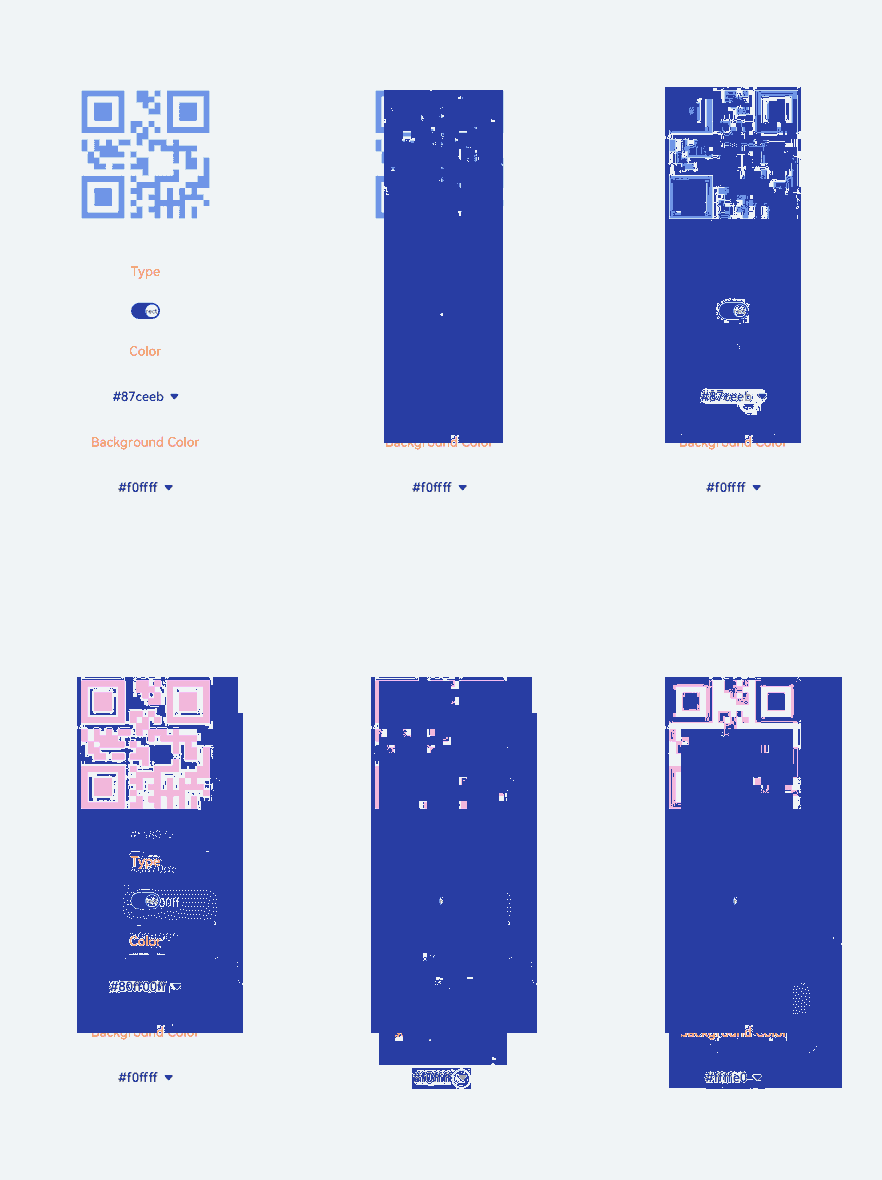
The <qrcode> component is used to generate and display a QR code.
Required Permissions
None
Child Components
Not supported
Attributes
In addition to the universal attributes, the following attributes are supported.
| Name | Type | Default Value | Mandatory | Description |
|---|---|---|---|---|
| value | string | - | Yes | Content used to generate the QR code. |
| type | string | rect | No | QR code type. Available values are as follows: - rect: rectangular QR code. - circle: round QR code. |
Styles
In addition to the universal styles, the following styles are supported.
| Name | Type | Default Value | Mandatory | Description |
|---|---|---|---|---|
| color | <color> | #000000 | No | Color of the QR code. |
| background-color | <color> | #ffffff | No | Background color of the QR code. |
NOTE
If the values of width and height are different, the smaller value is used as the length of the QR code. The generated QR code is centered.
If either width or height is set, the value is used as the length of the QR code. If neither of them is set, the default length 200 px is used.
Events
The universal events are supported.
Methods
The universal methods are supported.
Example
<!-- xxx.hml -->
<div class="container">
  <qrcode value="{{qr_value}}" type="{{qr_type}}"
  style="color: {{qr_col}};background-color: {{qr_bcol}};width: {{qr_size}};height: {{qr_size}};margin-bottom: 70px;"></qrcode>
  <text class="txt">Type</text>
  <switch showtext="true" checked="true" texton="rect" textoff="circle" onchange="settype"></switch>
  <text class="txt">Color</text>
  <select onchange="setcol">
    <option for="{{col_list}}" value="{{$item}}">{{$item}}</option>
  </select>
  <text class="txt">Background Color</text>
  <select onchange="setbcol">
    <option for="{{bcol_list}}" value="{{$item}}">{{$item}}</option>
  </select>
</div>
/* xxx.css */
.container {
  width: 100%;
  height: 100%;
  flex-direction: column;
  justify-content: center;
  align-items: center;
}
.txt {
  margin: 30px;
  color: orangered;
}
select{
  margin-top: 40px;
  margin-bottom: 40px;
}
/* index.js */
export default {
  data: {
    qr_type: 'rect',
    qr_size: '300px',
    qr_col: '#87ceeb',
    col_list: ['#87ceeb','#fa8072','#da70d6','#80ff00ff','#00ff00ff'],
    qr_bcol: '#f0ffff',
    bcol_list: ['#f0ffff','#ffffe0','#d8bfd8']
  },
  settype(e) {
    if (e.checked) {
      this.qr_type = 'rect'
    } else {
      this.qr_type = 'circle'
    }
  },
  setcol(e) {
    this.qr_col = e.newValue
  },
  setbcol(e) {
    this.qr_bcol = e.newValue
  }
}
你可能感兴趣的鸿蒙文章
harmony 鸿蒙JavaScript-compatible Web-like Development Paradigm (ArkUI.Full)