CanvasRenderingContext2D
CanvasRenderingContext2D allows you to draw rectangles and text on a canvas.
Example
<!-- xxx.hml -->
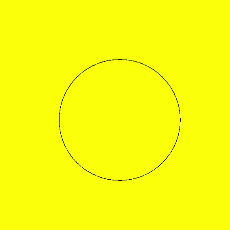
<canvas ref="canvas1" style="width: 200px; height: 150px; background-color: #ffff00;"></canvas>
<input type="button" style="width: 180px; height: 60px;" value="fillStyle" onclick="handleClick" />
// xxx.js
export default {
  handleClick() {
    const el = this.$refs.canvas1;
    const ctx = el.getContext('2d');
    ctx.beginPath();
    ctx.arc(100, 75, 50, 0, 6.28);
    ctx.stroke();
  },
}
fillRect()
Fills a rectangle on the canvas.
Parameters
| Parameter | Type | Description |
|---|---|---|
| x | number | X-coordinate of the upper left corner of the rectangle. |
| y | number | Y-coordinate of the upper left corner of the rectangle. |
| width | number | Width of the rectangle. |
| height | number | Height of the rectangle. |
Example

ctx.fillRect(20, 20, 200, 150);
fillStyle
Sets the style to fill an area.
Parameters
| Parameter | Type | Description |
|---|---|---|
| color | <color> | Color used to fill the area |
Example
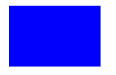
ctx.fillStyle = '#0000ff';
ctx.fillRect(20, 20, 150, 100);
strokeRect()
Draws a rectangle stroke on the canvas.
Parameters
| Parameter | Type | Description |
|---|---|---|
| x | number | X-coordinate of the upper left corner of the rectangle. |
| y | number | Y-coordinate of the upper left corner of the rectangle. |
| width | number | Width of the rectangle. |
| height | number | Height of the rectangle. |
Example
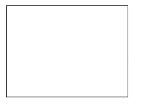
ctx.strokeRect(30, 30, 200, 150);
fillText()
Draws filled text on the canvas.
Parameters
| Parameter | Type | Description |
|---|---|---|
| text | string | Text to draw. |
| x | number | X-coordinate of the lower left corner of the text. |
| y | number | Y-coordinate of the lower left corner of the text. |
Example
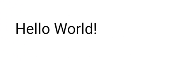
ctx.font = '35px sans-serif';
ctx.fillText("Hello World!", 20, 60);
lineWidth
Sets the width of a line.
Parameters
| Parameter | Type | Description |
|---|---|---|
| lineWidth | number | Line width. |
Example
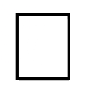
ctx.lineWidth = 5;
ctx.strokeRect(25, 25, 85, 105);
strokeStyle
Sets the stroke style.
Parameters
| Parameter | Type | Description |
|---|---|---|
| color | <color> | Color of the stroke. |
Example
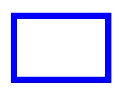
ctx.lineWidth = 10;
ctx.strokeStyle = '#0000ff';
ctx.strokeRect(25, 25, 155, 105);
stroke()5+
Draws a stroke.
Example

ctx.moveTo(25, 25);
ctx.lineTo(25, 105);
ctx.strokeStyle = 'rgb(0,0,255)';
ctx.stroke();
beginPath()5+
Creates a drawing path.
Example

ctx.beginPath();
ctx.lineWidth = '6';
ctx.strokeStyle = '#0000ff';
ctx.moveTo(15, 80);
ctx.lineTo(280, 160);
ctx.stroke();
moveTo()5+
Moves a drawing path to a target position on the canvas.
Parameters
| Parameter | Type | Description |
|---|---|---|
| x | number | X-coordinate of the target position. |
| y | number | Y-coordinate of the target position. |
Example
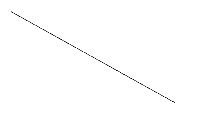
ctx.beginPath();
ctx.moveTo(10, 10);
ctx.lineTo(280, 160);
ctx.stroke();
lineTo()5+
Connects the current point to a target position using a straight line.
Parameters
| Parameter | Type | Description |
|---|---|---|
| x | number | X-coordinate of the target position. |
| y | number | Y-coordinate of the target position. |
Example
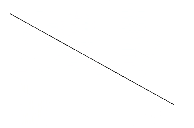
ctx.beginPath();
ctx.moveTo(10, 10);
ctx.lineTo(280, 160);
ctx.stroke();
closePath()5+
Draws a closed path.
Example

ctx.beginPath();
ctx.moveTo(30, 30);
ctx.lineTo(110, 30);
ctx.lineTo(70, 90);
ctx.closePath();
ctx.stroke();
font
Sets the font style.
Parameters
| Parameter | Type | Description |
|---|---|---|
| value | string | Font style. sans-serif, serif, and monospace are supported. The default value is 30px HYQiHei-65S. |
Example
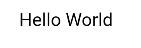
ctx.font = '30px sans-serif';
ctx.fillText("Hello World", 20, 60);
textAlign
Sets the text alignment mode.
Parameters
| Parameter | Type | Description |
|---|---|---|
| align | string | Available values are as follows: - left (default): The text is left-aligned. - right: The text is right-aligned. - center: The text is center-aligned. |
Example
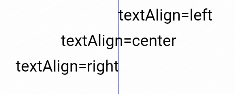
ctx.strokeStyle = '#0000ff';
ctx.moveTo(140, 10);
ctx.lineTo(140, 160);
ctx.stroke();

ctx.font = '18px sans-serif';

// Show the different textAlign values
ctx.textAlign = 'left';
ctx.fillText('textAlign=left', 140, 100);
ctx.textAlign = 'center';
ctx.fillText('textAlign=center',140, 120);
ctx.textAlign = 'right';
ctx.fillText('textAlign=right',140, 140);
arc()5+
Draws an arc on the canvas.
Parameters
| Parameter | Type | Description |
|---|---|---|
| x | number | X-coordinate of the center point of the arc. |
| y | number | Y-coordinate of the center point of the arc. |
| radius | number | Radius of the arc. |
| startAngle | number | Start radian of the arc. |
| endAngle | number | End radian of the arc. |
| anticlockwise | boolean | Whether to draw the arc counterclockwise. |
Example

ctx.beginPath();
ctx.arc(100, 75, 50, 0, 6.28);
ctx.stroke();
rect()5+
Creates a rectangle on the canvas.
Parameters
| Parameter | Type | Description |
|---|---|---|
| x | number | X-coordinate of the upper left corner of the rectangle. |
| y | number | Y-coordinate of the upper left corner of the rectangle. |
| width | number | Width of the rectangle. |
| height | number | Height of the rectangle. |
Example

ctx.rect(20, 20, 100, 100); // Create a 100*100 rectangle at (20, 20)
ctx.stroke(); // Draw it
你可能感兴趣的鸿蒙文章
harmony 鸿蒙JavaScript-compatible Web-like Development Paradigm (ArkUI.Lite)